Warning
This page describes a function that has not yet been publicly released, or has been released in beta / preview quality. Subject to change.
Gen 2 questionnaires can now be distributed to the wider public with the answers saved directly to Dataverse.
-
A Microsoft Power Platform/Dynamics 365 user generates a link with a questionnaire to fill out.
-
Deliver the link to your audience. Use email, instant messaging apps, or embed the link on a website...
-
The public user fills out the form (no login needed).
-
Collected data is saved to Dataverse.
Use cases
Scenario 1 (customer feedback, survey)
-
An end customer receives an email or SMS with a link to a feedback form about a product or marketing campaign. OR a citizen receives a public survey link via email or SMS from a municipal office or public authority. They fill out the form anonymously, and the data is sent directly to the organization's Dataverse.
Scenario 2 (incident report)
-
A citizen finds a form on a utility company's website to report an incident or issue (e.g., gas leak, power outage). They fill out the form, and the data is sent to Dataverse for the utility to review.
Register for Resco Forms Connector
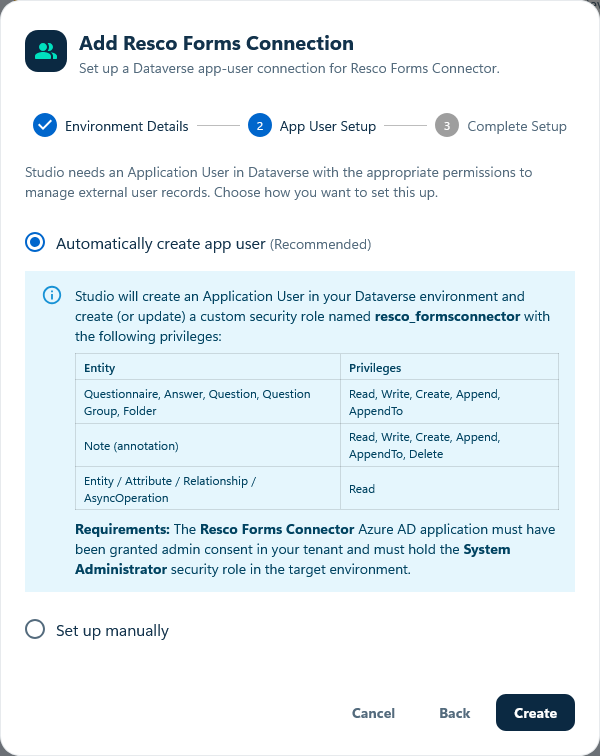
Before you can create links and use them outside of Dataverse, you must register your environment for the Resco Forms Connector. This also creates a Dataverse application user with the minimum permissions required to save questionnaire answers to the database.
-
Go to Resco Studio at studio.resco.net.
-
Register using your Microsoft account.
-
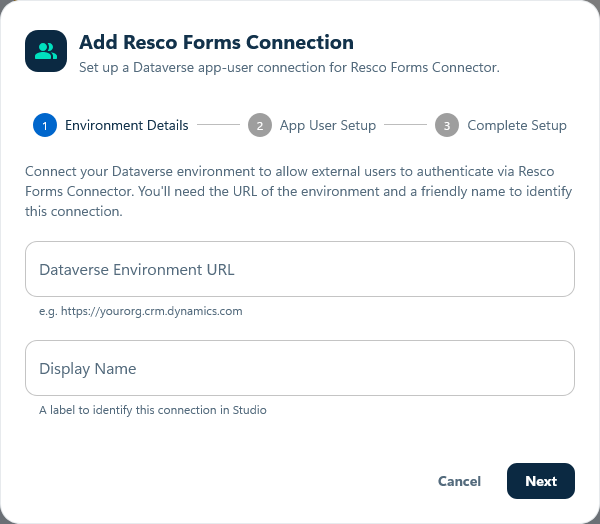
Select Resco Forms Connections. Click Add connection and add a Dataverse environment from which you want to send out links and receive completed forms.
New code components (PCF) for Power Platform
This feature introduces two code components that you can add to your apps.
-
Questionnaire Share
Add the component to a form to share questionnaires. -
Safe Link Management
Use this component to manage existing shared links.
Once the feature is generally available, the components will be included in the Resco Suite solution (to avoid importing additional solutions).
Install the code components
Eligible partners and customers receive the solutions via email. Download them, install them, and add the code components to your forms.
Install the new solutions
-
Go to make.powerapps.com.
-
Install the solutions with code components.
-
Wait, then publish all customizations.
Add Questionnaire Share to a form
Choose from where you want to share questionnaires:
-
You can add the Questionnaire Share component to the form of the Questionnaires or Questionnaire Answer tables. In this case, the questionnaire is automatically selected when sharing.
-
You can add it to other forms, e.g. for the Accounts or Contacts tables. In this case, you must choose which questionnaire to share, but the questionnaire can automatically populate the regarding record.
-
Edit the form of a table from which you want to generate questionnaire links.
-
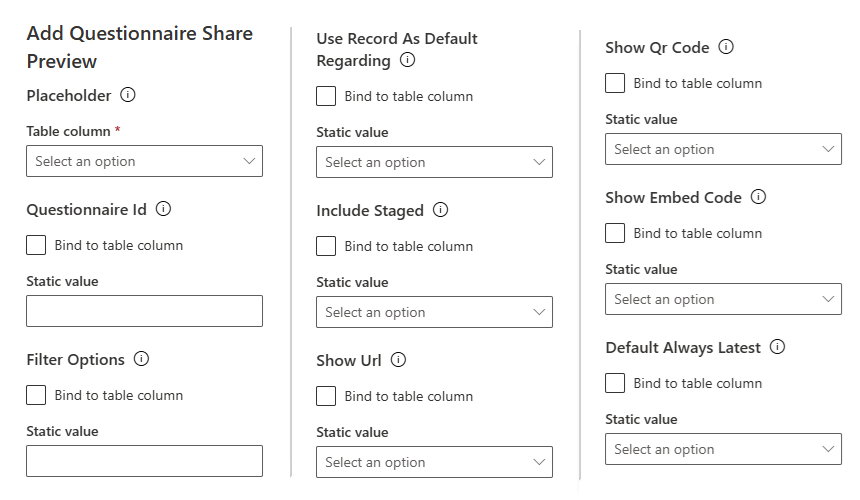
Add the new component to the form (Components > Get more components > Questionnaire Share).
-
As Placeholder, select any text field.
-
As Questionnaire ID, enter the GUID of the questionnaire. If empty, a searchable list is shown.
-
As Filter Options, enter an OData filter string to narrow down the questionnaire list.
-
Enable Use Record As Default Regarding if you want to use the form’s record as the regarding record of the questionnaire.
-
Enable Include Staged to include staged questionnaires in the list. Normally, only published questionnaires are available.
-
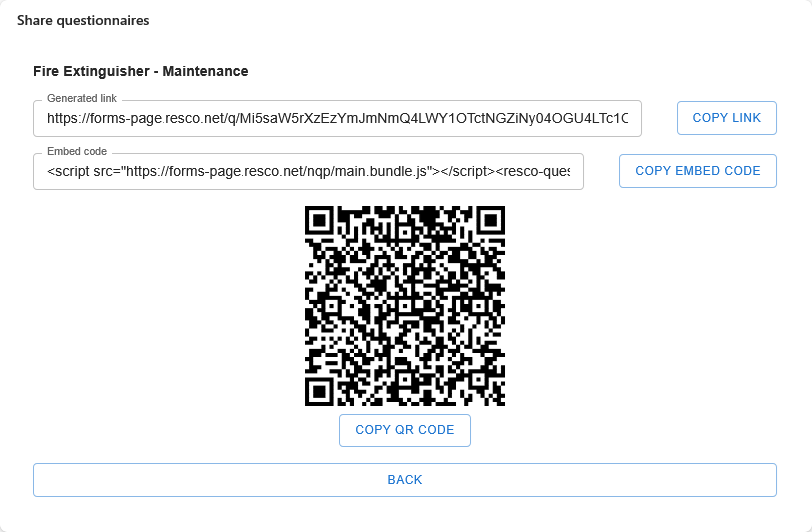
Use Show URL, QR Code, and Embed Code to select which sharing formats you want to see.
-
As Default Always Latest, select the default questionnaire resolution mode for new links. When true, defaults to "name" resolution (always use the latest published template). When false (default), defaults to "id" resolution (this specific version). The user can still change this in the form before creating the link.
Note
If you add the component to a Questionnaire / Questionnaire Answer form, the questionnaire ID is automatically selected. Regarding is not used. If you add it to a different table form, users select which questionnaire to share. Current record is automatically used as the Regarding field.
Add Safe Link Management to a form
-
Edit the form of a table from which you want to generate questionnaire links.
-
Add the new component to the form (Components > Get more components > Safe Link Management).
-
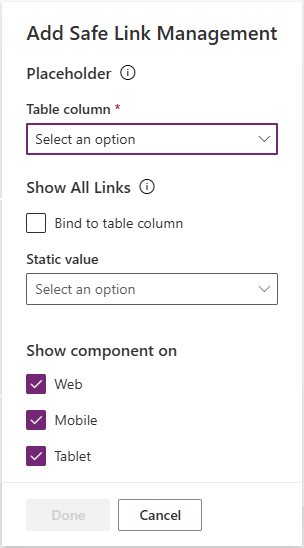
As Placeholder, select any text field.
-
Enable Show All Links to display all links that a particular user can manage. Clear it to display only links related to the particular record.
Generating questionnaire links
-
On Power Platform, go to the form with the Questionnaire Share component.
-
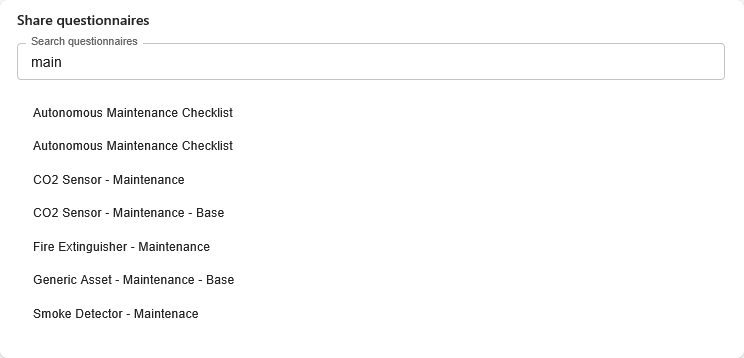
Select which questionnaire you want to share.
-
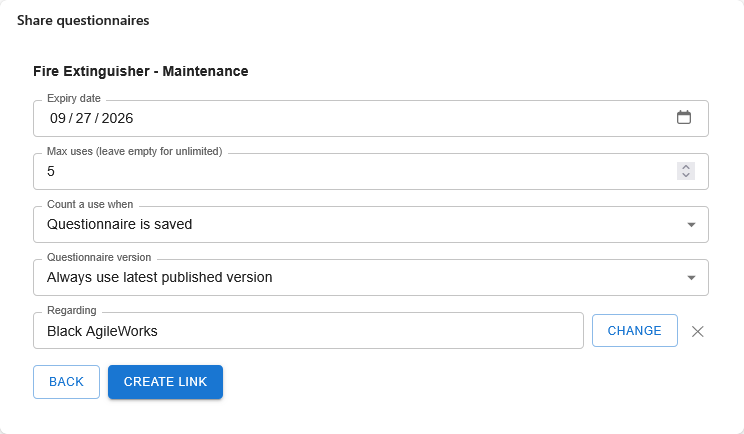
Select link details, such as the expiration date, maximum number of uses, and the regarding record.
-
Distribute the link to the public users.
Managing links
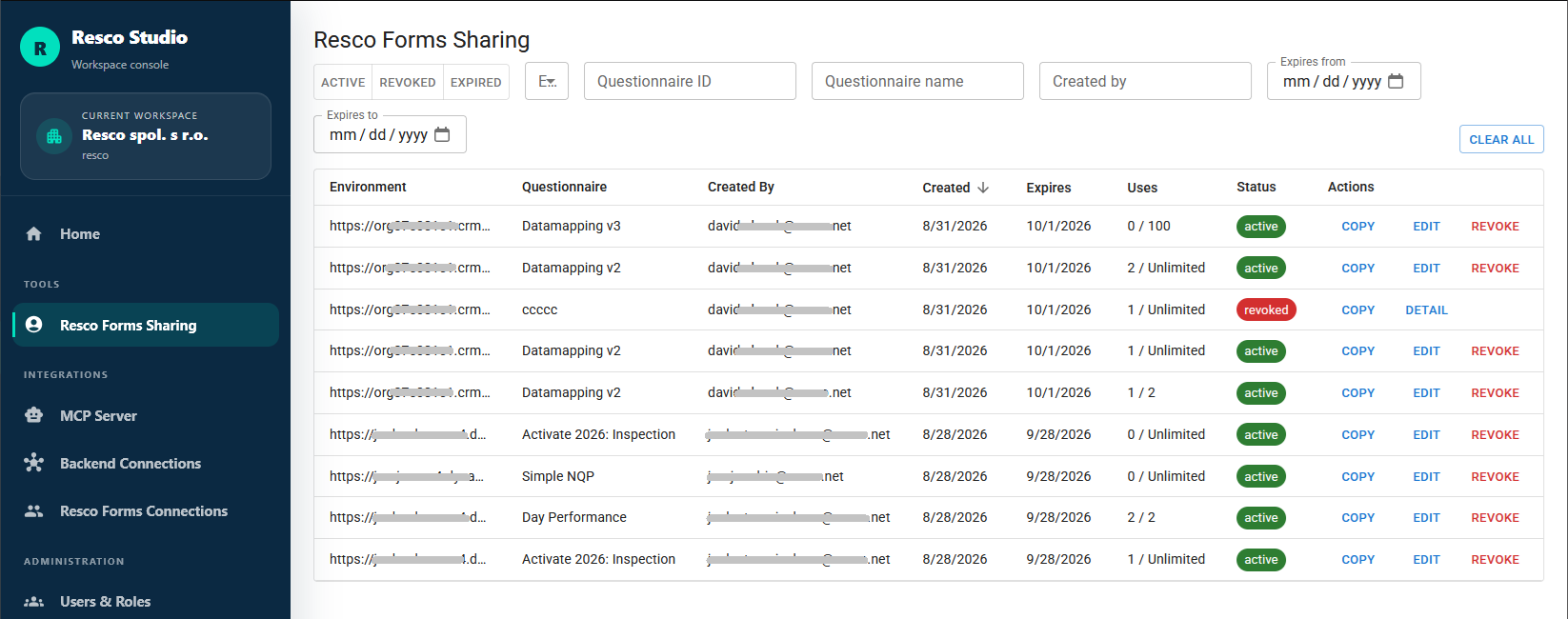
The Safe Link Management component allows users to display a list of created links. If Show All Links is enabled in the component configuration, you can see all items that you shared. If disabled, you see only items related to the form record.
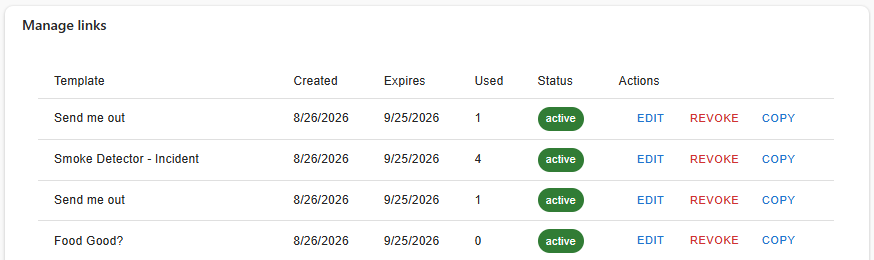
In Resco Studio, admins can see all links across their organization. Select Tools > Resco Forms Sharing.